
Tab Revolver for Chrome.
Revolve tabs & dashboards on autopilot.
The premier revolver tabs extension for Google Chrome. Automatically cycle through open tabs, revolve tab playlists at custom speeds, and turn any display into a hands-free dashboard slideshow.

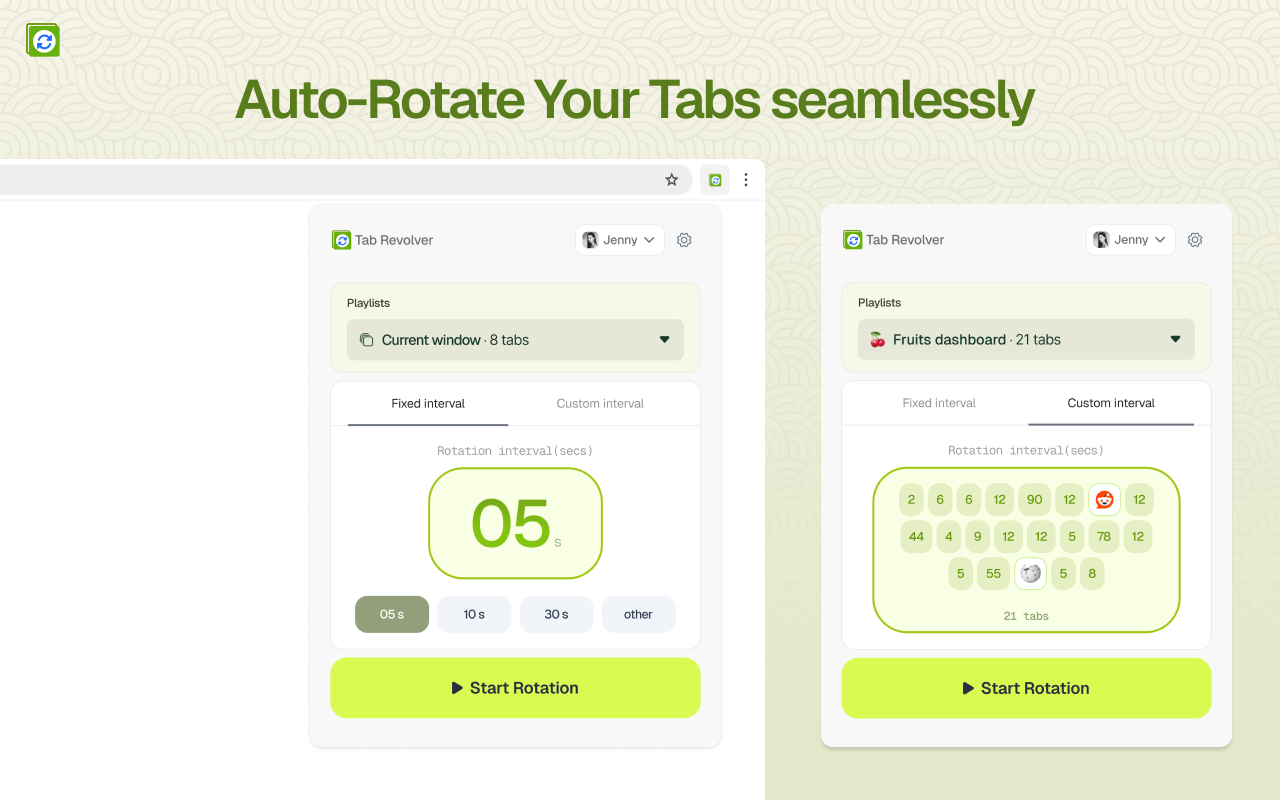
Revolve tabs automatically instead of clicking around
Constantly clicking back and forth between multiple tabs breaks your concentration. When you use Tab Revolver, your browser revolves tabs and dashboards seamlessly on autopilot.
Manual Tab Switching
Clicking tabs throughout the day drains mental bandwidth, causes missed notifications, and is impossible for shared monitors or TV screens.
- • Repetitive manual clicking to check dashboards
- • Miss critical updates and live server alerts
- • Cannot power unattended office displays or kiosks
Tab Revolver Automation
Configure your preferred duration and let Tab Revolver revolve tab sequences hands-free. Designed for business dashboards, DevOps monitoring, and presentation screens.
- ✓ Custom duration per revolve tab item
- ✓ Remote screen pairing for office TVs with 6-digit PIN
- ✓ Pause anytime on mouse hover or with hotkeys
Everything Tab Revolver can do for your workflow
The premier revolver tabs Chrome extension. Built on modern Chrome Manifest V3 APIs for blazing speed, ultra-low memory consumption, and complete control over how you revolve tabs.
Custom Revolve Tab Speeds
Give detailed reports 2 minutes while revolving status alerts every 15 seconds. Never get locked to a single rigid speed.
Remote Screens & Office TVs
Pair Smart TVs and monitors with a 6-digit PIN. Cast playlists and control your Chrome tab revolver remotely from your web dashboard.
Curated Tab Playlists
Save sets of URLs into organized playlists for Daily Analytics, DevOps Status, or Reception Signage, and switch between them instantly.
Auto-Reload Stale Pages
Keep session cookies and data fresh. Optionally reload each revolve tab upon display so charts and monitoring data never go stale.
Window & Pinned Tab Filter
Exclude pinned browser tabs and personal windows from rotation. Revolve tabs exclusively in your designated dashboard window.
Pause on Hover & Hotkeys
Freeze rotation instantly whenever you hover your mouse to inspect a metric, and let the tab revolver resume when you move away.
How to revolve tabs with Tab Revolver
Ready to automate your browser? Here is how to revolve tabs in Google Chrome without technical hurdles.
Install Chrome Tab Revolver
Add Tab Revolver to Chrome or Edge in one click from the Chrome Web Store.
Choose Tabs & Intervals
Open your dashboards and set how many seconds each revolve tab should remain visible.
Revolve Tabs Automatically
Click Start to let your Chrome revolver tabs run continuously on your screen or wallboard.
What teams use revolver tabs for
Discover why over 5,000 professionals rely on Tab Revolver to cycle through critical web pages.
📊Executive & Business KPI Dashboards
Cycle through Stripe revenue, Google Analytics 4, Salesforce pipelines, and customer support boards on a single monitor.
🖥️DevOps, SRE & Server Monitoring
Rotate through Grafana, Datadog alerts, AWS CloudWatch graphs, and UptimeRobot status without manual clicking.
🏢Office Digital Signage & TV Wallboards
Transform any Smart TV or monitor into digital signage displaying company announcements, visitor welcomes, and schedules.
📈Marketing & PPC Campaign Reviews
Continuously revolve tab pages for Google Ads ROAS, Meta advertising campaigns, search console rankings, and conversions.
What People Say About Tab Revolver
"Really useful for monitoring multiple tabs without constantly clicking around. Simple to set up and does exactly what it says. Works well for dashboards and long-running pages."
Frequently Asked Questions About Revolver Tabs
Everything you need to know about how to revolve tabs with the Tab Revolver Chrome extension.
Put your browser on autopilot with Tab Revolver
Join 5,000+ professionals using Tab Revolver to revolve tabs, cycle dashboards, and automate office displays effortlessly.